Using souldern.org emails
Receiving Email
To receive emails as someone@souldern.org the account needs to be listed (By Nick Oakhill) at godaddy (that manages the souldern.org domain) we have 100 free addresses that can be used.
This account does not store any mail, it is simply a forwarding address to a “real” email account. Either your normal email or a custom account set up just for the purpose such as someone.souldernpc@gmail.com
If you just set up the email at godaddy there is nothing more that needs to be done: email arrives to the associated email in the normal way: The “From” field lets you know the original person addressed it to souldern.org, but you reply from your normal email program using your normal email address (eg someone.souldernpc@gmail.com)
Sending Email
It is possible to set things up so that you can also send from someone@souldern.org (and optionally automatically send from that account when replying to emails that were sent to the souldern.org address)
This mechanism is still supported by google/gmail although they don’t particularly recommend it, and don’t make it particularly easy to set up (although it is easy to use once it is set up).
Advantages
The advantage of sending as souldern.org is that it keeps things more obviously related to the Souldern Domain.
Disadvantages
While the mechanism described below is perfectly legitimate, it authorises gmail.com’s mail server to send emails “as if” from souldern.org. This is recorded in the email headers so the email system of the person receiving the email “knows” this.
As the forwarding site is gmail and it only does this when explicitly authorised, this is classed as relatively safe but some more paranoid email systems may flag this as a potential “spoof” email or even potentially ban it or mark it as spam. However there are many reasons for emails being marked as spam, this forwarding mechanism may make it slightly more likely but this is more likely to affect sending emails to businesses than home email systems.
Setup Steps
-
2FA
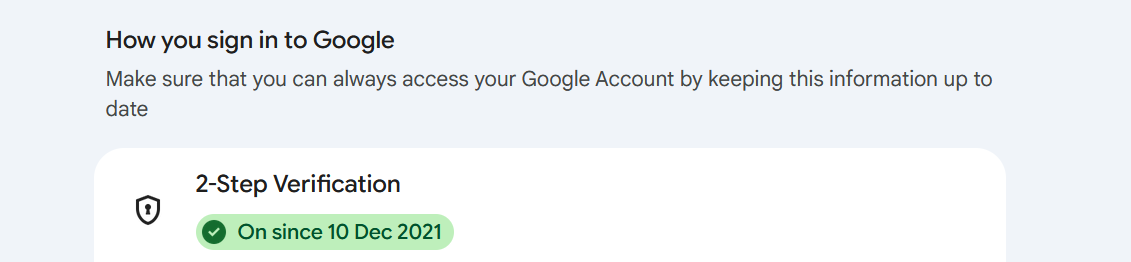
If you want to try this then you must have two-factor authentication set up on your google account. This means that if you log in to google on a new device it will require more than just a password, typically fingerprint or a text message to your phone, or whatever you set up.
You can check this at
https://myaccount.google.com/security
It should show
-
Password
You will then need a so-called “App Password” that lets specific programs (in this case gmail’s own server) access based on your account.
Log on to https://myaccount.google.com/apppasswords
and generate a new password. You can give any name for the app, I used “mailtest”.
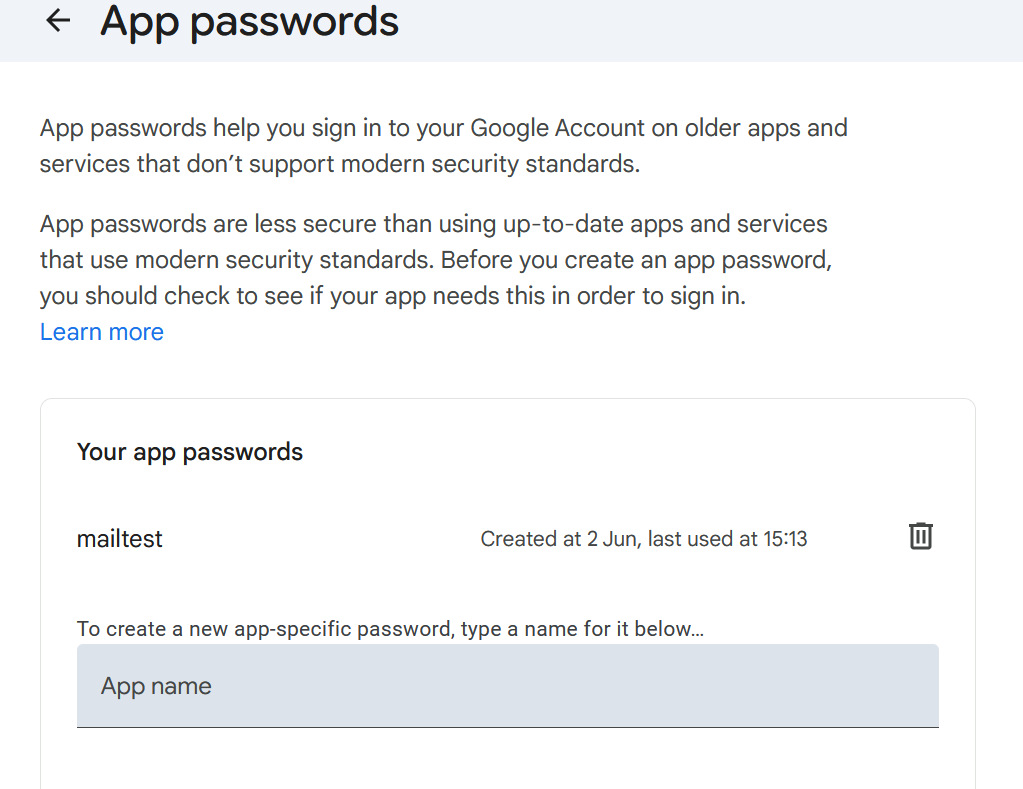
This will generate a password of four groups of 4 letters separated by spaces. Save this as you will need it in the next step, but then it should be deleted. You will not need it again. These passwords are intended for one-off use, but they give access to your google account, so should not be written down or left in unsafe places.
-
Adding New Email to your Gmail accounts
Now go to the cog menu in gmail and select Settings then Accounts and Imports
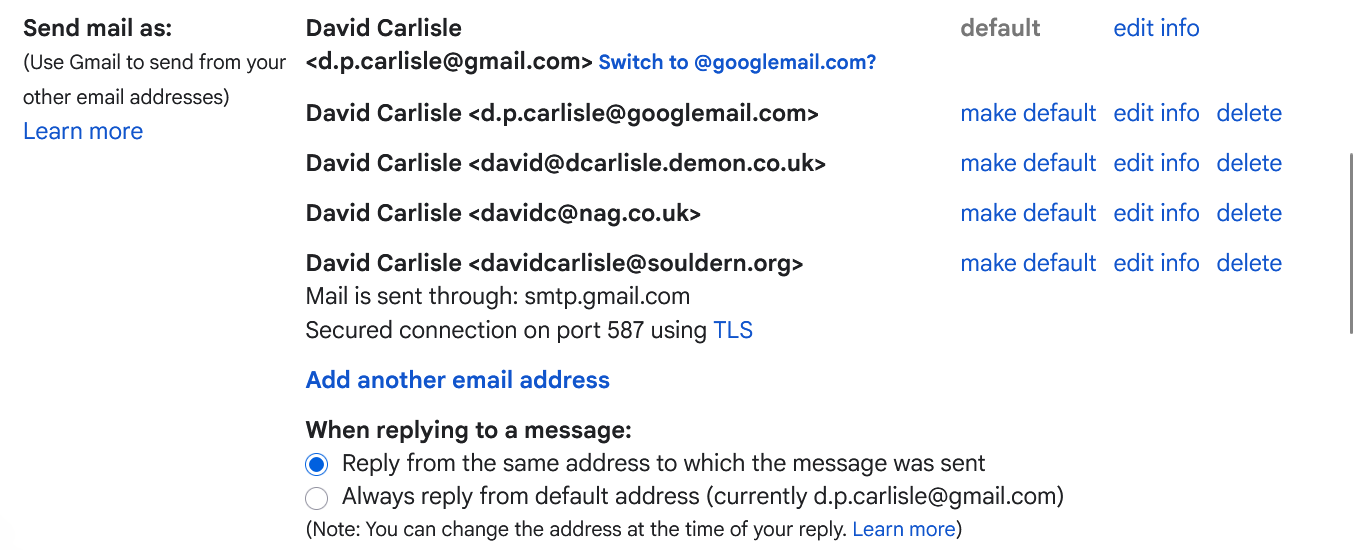
The send mail as lists all the email addrresses that you may currently use, and has a link at the bottom to add another.
I have a couple of versions of the gmail address, my old home email, my work email and souldern.org.
Also checked is an option to reply to emails using whichever account the email was sent to.
-
Adding a new email server.
Use the Add another email address link at the end of the list.
Initially you are taken to a form where you should fill in the desired email address someone@souldern.org leave the Treat as an Alias option checked.
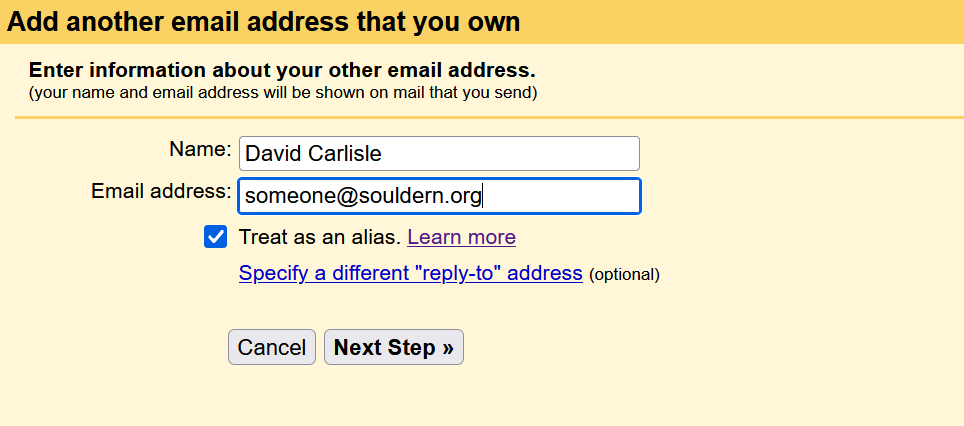
You will then be taken to a second form to fill in the details of the mail server to use. It guesses one based on the souldern.org domain but as we have not paid for mail services this will not work and instead you need to configure it to use gmail’s own server.
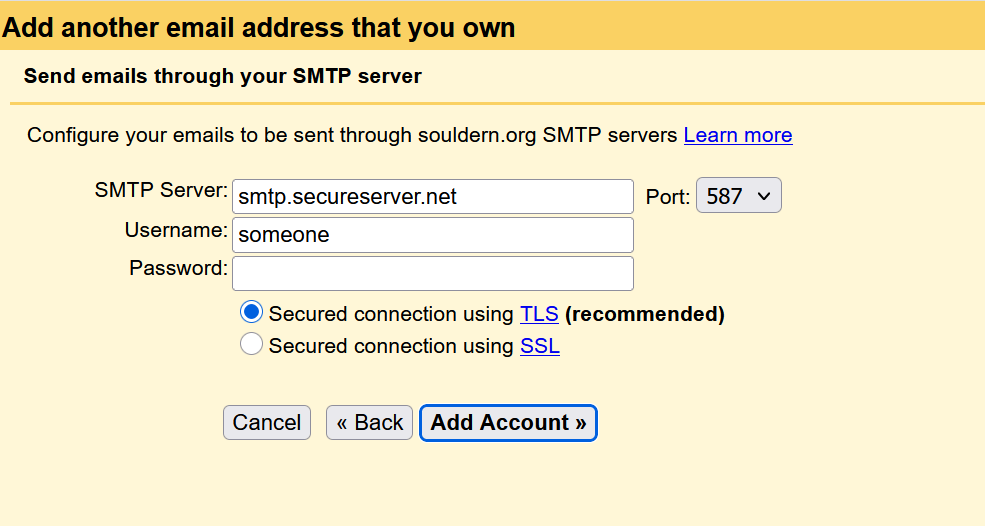
Use:
SMTP Server smtp.gmail.com
Port 587
User Name someone.souldernpc@gmail.org (The real gmail account to use)
Password AAAA BBBB CCCC DDDD (The App password saved earlier for this account)
Sending Emails
Google will send one test email to which you must click on a link to verify the email, then you can use the new address to send emails.
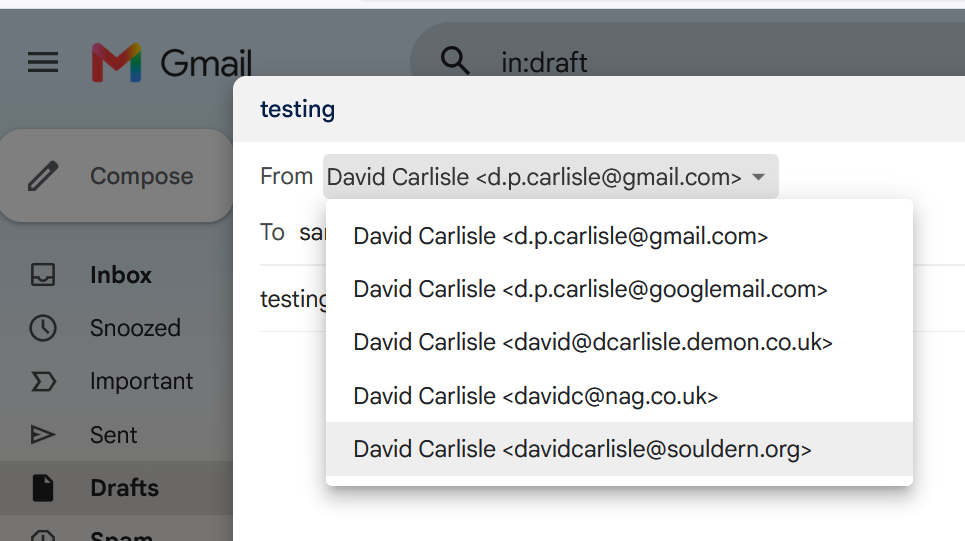
Whenever sending email, there is a dropdown box next to your From address that lets you choose the address to use in the From field.